
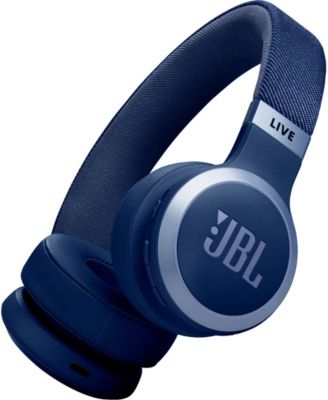
JBLLive 670NC Wireless On-Ear Headphones with True Adaptive Noise Cancelling
Product details
Web ID: 2059214787 reviewssorted by Newest
great feature but not for a open plan office
I baught the Head set and at fist i found that the head set is very nice , adaptive noice cancelling is not work well with teams, i would how ever recommend this for you non profesional use and more for out door use, it cancells out noise for the speakers but not for the microphones
Customer review from jbl.com
Response from jbl.com
Thank you for your review of our JBL Live 670NC. The noise‑cancelling feature is designed primarily for the user, so when it is activated during a call, it may filter unnecessary sounds coming from the other party. If the person on the other end is also using headphones with noise‑cancelling, the effect will be similar. If you have any questions, please contact us directly for further assistance: https://support.jbl.com/us/en/#contact
If somebody can help me with using Personi-Fi
I bought this and can't use Personi-Fi option to adapt it to my hearing. I'm in a quiet room, my headphones are connected to my phone. I'm waiting for 10 minutes for something to happen, but it just says "Getting ready", stays on the first step of the process. Nothing's responding to tap on screen ("X" on Environmental Noise check, photo of headphones). It's not the first time I'm trying to set it. Always the same result - no result!
Customer review from jbl.com
Response from jbl.com
We appreciate your feedback. We hear you. We're here to help. First, please test the Personi-Fi feature using a different source device (such as a mobile phone or tablet). If the issue persists, please perform a Factory Reset on the unit by: 1. Turn the headphones on 2. Press and hold "Volume +" and "Volume -" for more than 5 seconds. 3. The headphones will turn off and reboot to factory default. For further assistance, please contact us directly.
I bought these for my grandson who absolutely loves them!
Customer review from jbl.com
Awesome product
The JBL Live 670NC is fully personalized....great!
Customer review from jbl.com
Definitely worth the purchase
Good sound quality. Feels comfortable on my head even when wearing hats, portable, long battery life. The list goes on, the only draw back is price but considering students get 20%, for some price may not even be that big of an issue.
Customer review from jbl.com
Amazing quality!!
These headphones have amazing bass and sound! They have so many cool features like ambient mode which I love! I can go on walks and stay safe because Im able to hear my surroundings. These headphones stay super secure on my head and theyre super comfy! I can bend down without them slipping off. They also dont make my ears hurt like other headphones have. Also, Ive only charged these headphones once since ive had them and they are at 80% right now! I use these things every day for at least an hour and I still have awesome battery!! I am very happy with my purchase! They were an amazing price for the quality they are!! Thank you!
Customer review from jbl.com
Great Value Headset
Great sound and good noise canceling when used with the JBL Headset app.
Customer review from jbl.com
Horrible features!!
Horrible do not buy its way too sensitive for touch. The amount of times my music pauses when nothing is touching the headphones is ridiculous. This is easily one of the worst if not the worst pair of jbl headphones to own don not purchase DO NOT PURCHASE DO NOT PURCHASE DO NOT PURCHASE DO NOT PURCHASE. Unless you are ok with your music pauses every 5 seconds the do whatever you want, but actually want quality headphones instead of touch sensitive garbage ear covers that are made by cavemen who just discovered fire Then buy bose or sony if its in your budget range. Steer clear from these weirdo headphones.
Customer review from jbl.com
Response from jbl.com
Thank you for taking the time to share your feedback. Our JBL Live 670NC includes an auto play/pause feature, which may be causing the issue you’re experiencing. We recommend turning this feature off through the JBL Headphones app. If the issue continues, please try resetting the headphones by pressing and holding the Volume + and Volume – buttons at the same time until the unit powers off. If you need further assistance, please feel free to contact us directly here: https://support.jbl.com/us/en/#contact